Designing Clarity for Design Documentation at Scale

Designing Clarity for Design Documentation at Scale

As the design team scaled, inconsistent documentation slowed reviews, increased risk, and made collaboration harder than it needed to be.

As the design team scaled, inconsistent documentation slowed reviews, increased risk, and made collaboration harder than it needed to be.

I designed a shared UI documentation toolkit in Figma to bring structure, clarity, and accountability to design work supporting multi-stage review, cross-functional alignment, and regulated delivery at scale.

I designed a shared UI documentation toolkit in Figma to bring structure, clarity, and accountability to design work — supporting multi-stage review, cross-functional alignment, and regulated delivery at scale.

Internal tooling · Design systems · Documentation infrastructure

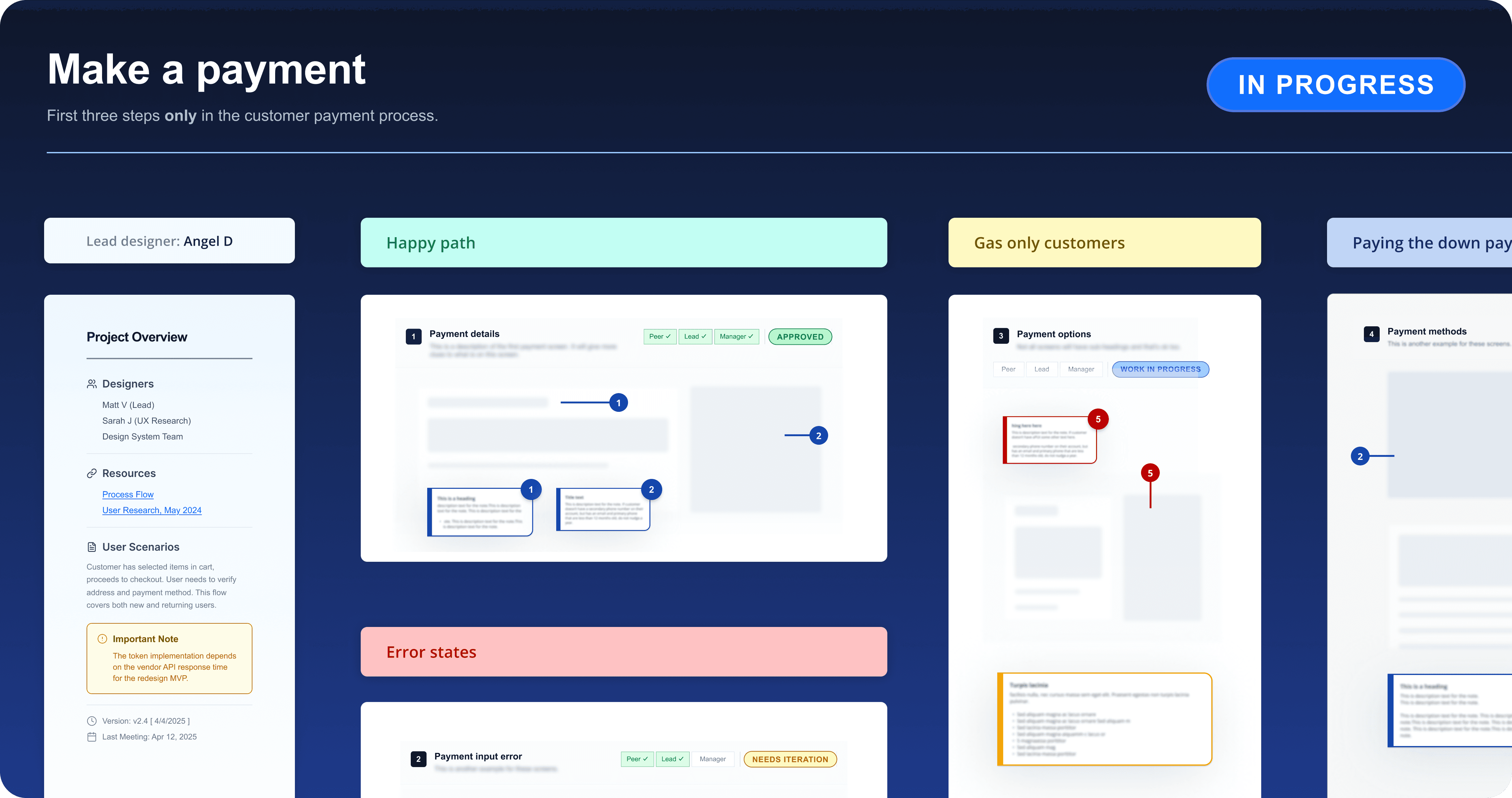
A standardized abstraction of a documentation layout with annotations, approval status, role-specific notes, and review readiness at a glance.

The Problem

As the design team grew, documentation became inconsistent and fragmented.

Existing documentation practices weren’t designed to support:

  • Multi-stage design review and approval

  • Clear separation between research, design, and development context

  • Traceability across business requirements, research, and final UI

  • Fast, reliable review across design, product, and engineering

Governance

Multi-stage review & approval

Governance

Multi-stage review & approval

Governance

Multi-stage review & approval

Context

Clear separation of design intent

Context

Clear separation of design intent

Context

Clear separation of design intent

Traceability

From requirements to UI

Traceability

From requirements to UI

Traceability

From requirements to UI

Reviewability

Fast, reliable feedback loops

Reviewability

Fast, reliable feedback loops

Reviewability

Fast, reliable feedback loops

Role and ownership

Role and ownership

Owned the design end to end

Defined structure, components, and documentation standards

Drove adoption across teams

Iterated based on real-world feedback

Scope

Scope

Standardized Figma file structure for design documentation

Components for annotations, status tracking, approvals, and role-specific notes

Documentation of key requirements and supporting resources

Shared and maintained as a living system

1. File Structure & Layout

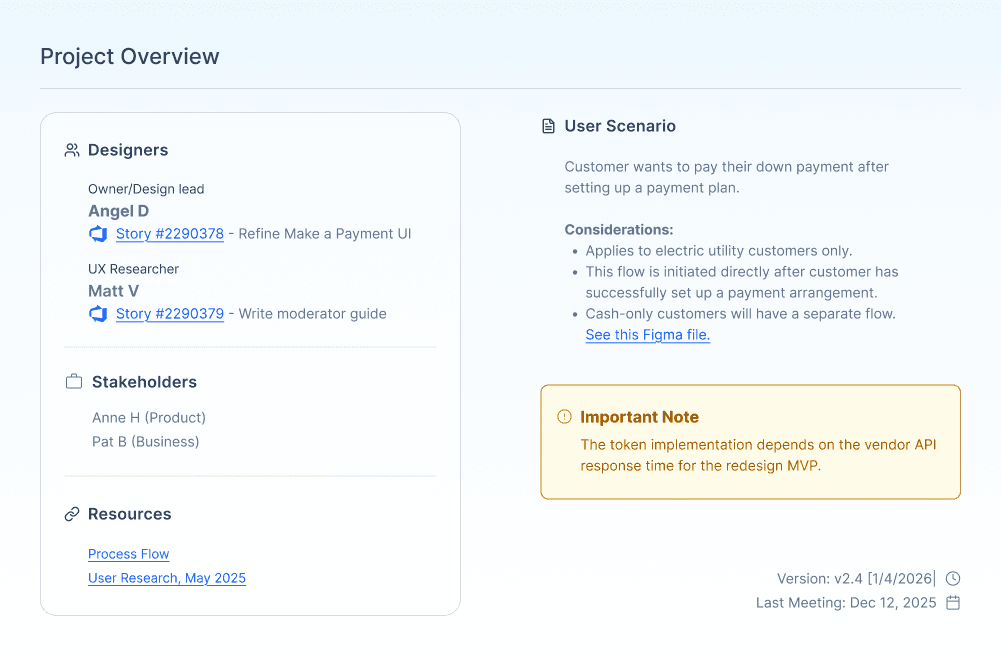
A standardized layout designed to make review context and documentation status immediately clear.
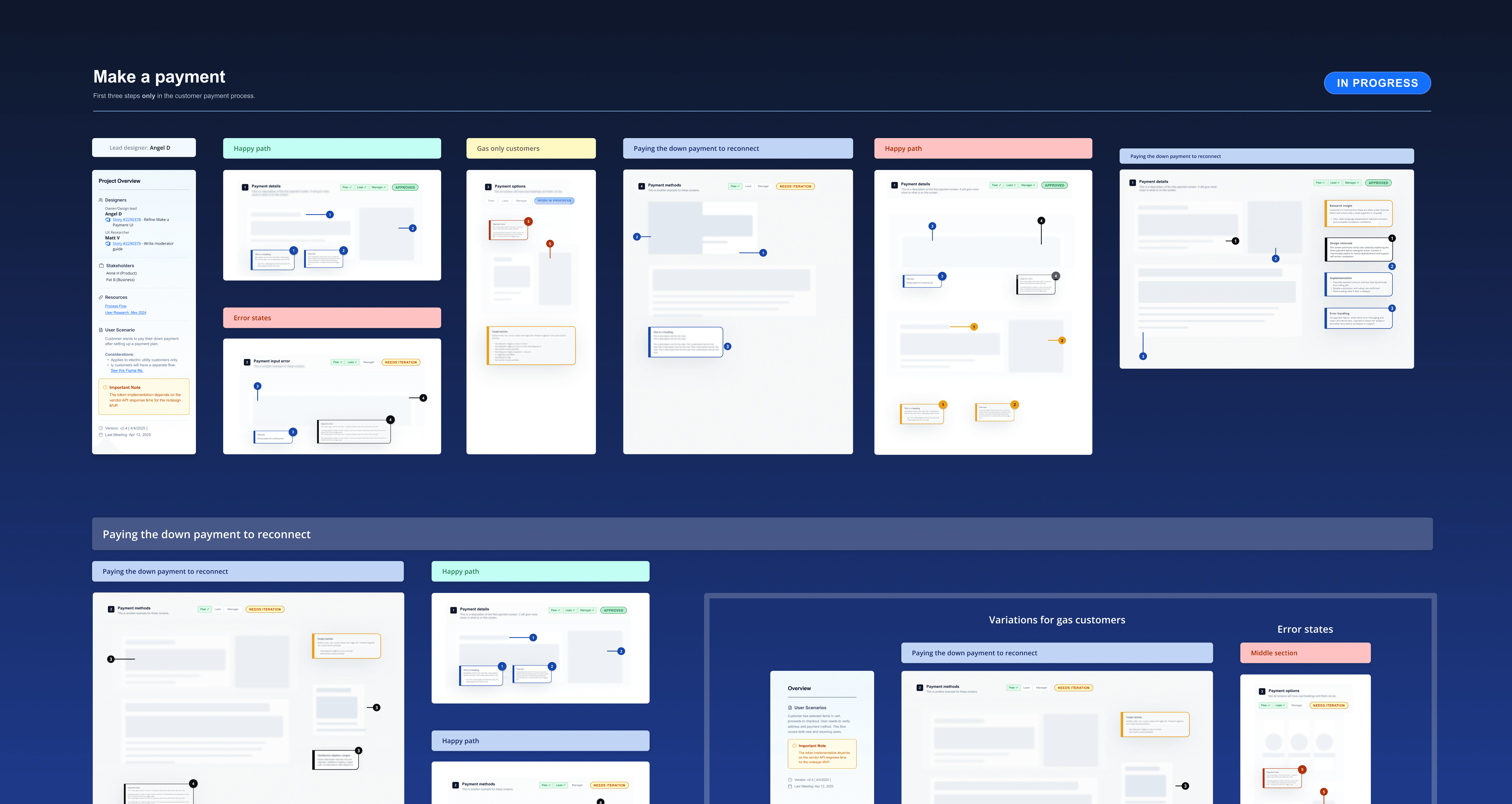
Standardized file structure highlighting screen headers, status indicators, annotations, and supporting resources.

2. Annotation System

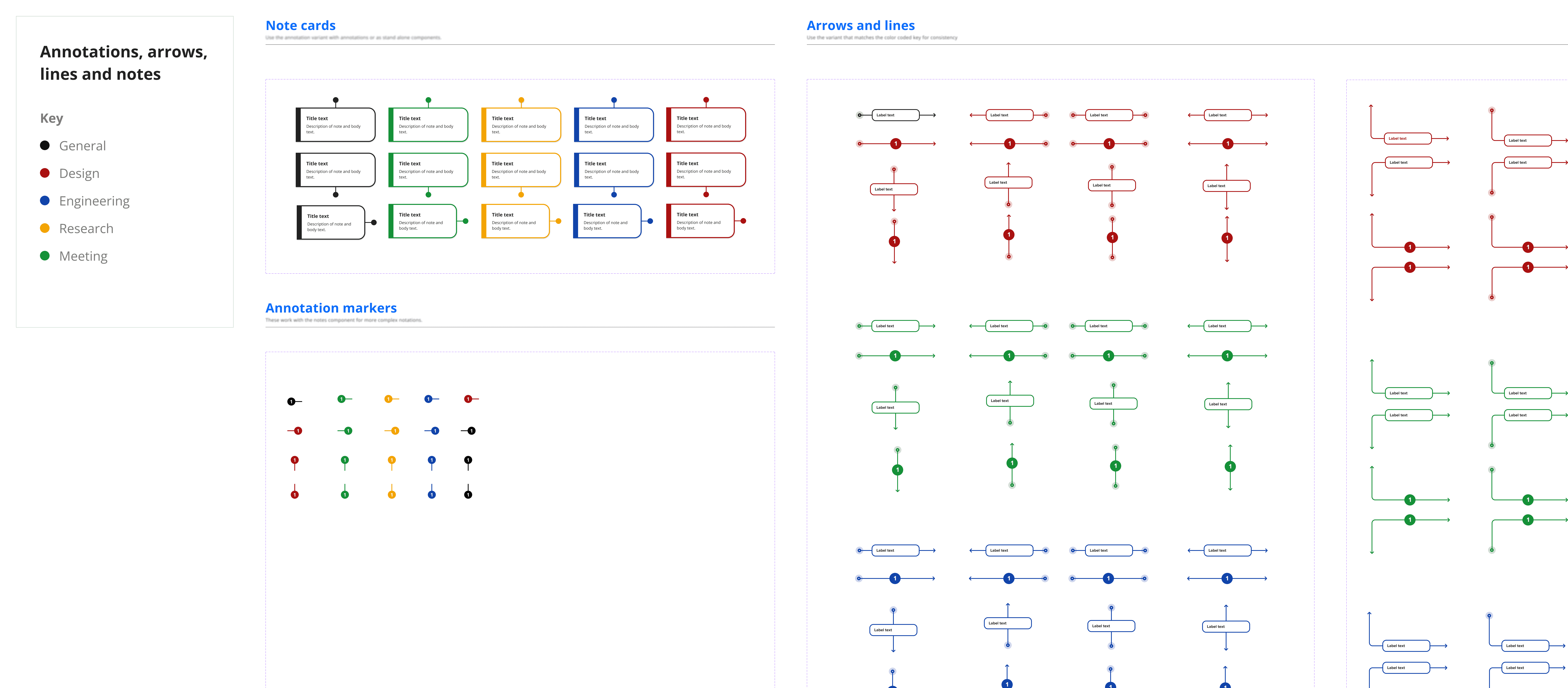
I created a set of annotation components to document design intent, edge cases, and constraints directly alongside screens.

Annotations were structured, role-aware, and visually distinct, making it easy to understand why a design decision was made — not just what was designed.

3. Status and Approval Tracking

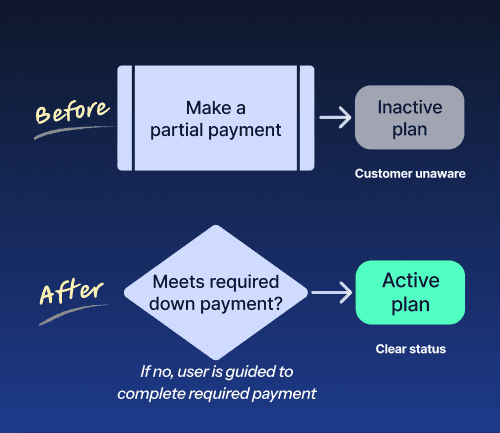
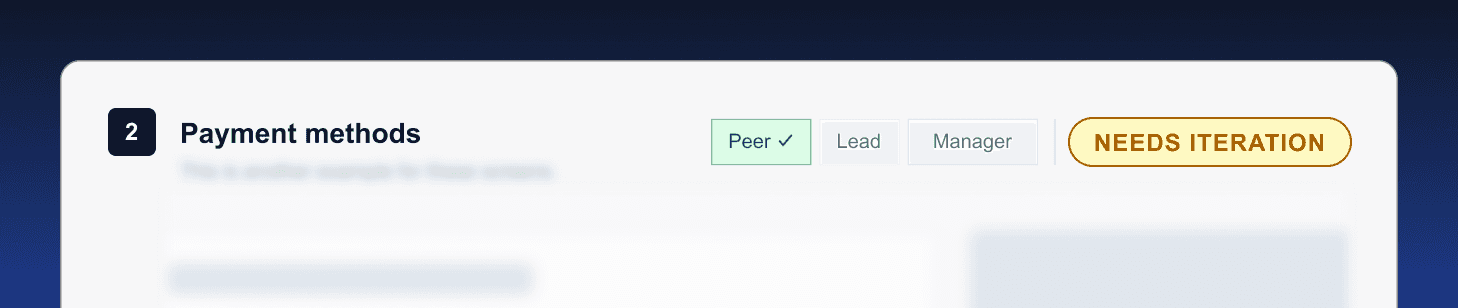
Because all customer-facing designs required multi-stage approval, the toolkit included clear status and approval indicators at the screen and flow level.

Supported governance without adding more processes

Reduced missed or duplicated reviews

Increased confidence in handoff readiness

This made review readiness visible at a glance and reduced confusion around what had been reviewed, approved, or was still in progress.
4. Role-Specific Notes

Design documentation needed to work for different audiences simultaneously — designers, product partners, stakeholders, and developers.

Allowed reviewers to focus on what mattered to them

Reduced noise while preserving important context

Supported clearer cross-functional collaboration

I introduced role-specific note patterns to separate research insights, design rationale, and development considerations without fragmenting the file.
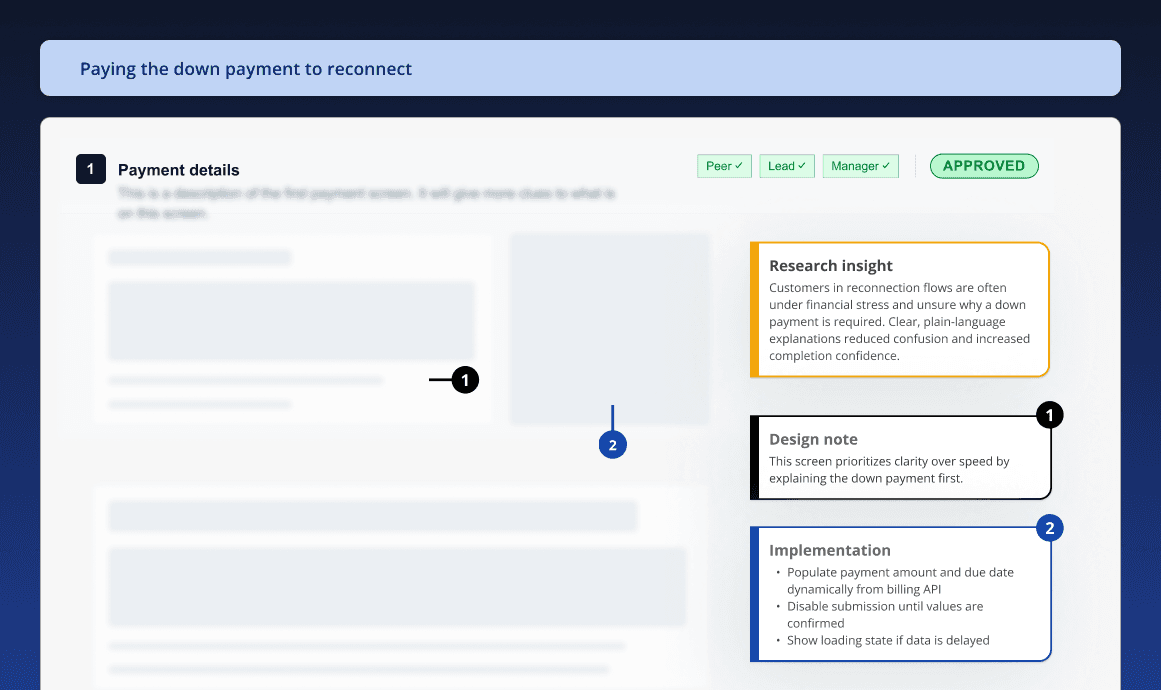
5. Supporting Resources and Traceability

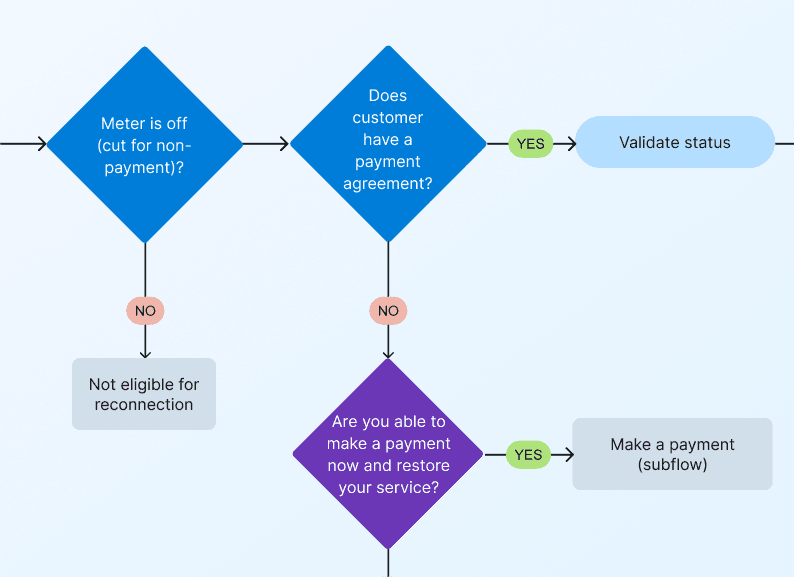
To improve traceability, the toolkit included structured ways to reference supporting materials such as research artifacts, process flows, business requirements, and stakeholder inputs.

This made it easier to understand how final UI decisions connected back to upstream inputs and constraints.

Clear documentation is infrastructure.

This toolkit turned fragmented design files into a shared, review-ready system that scaled with team size, governance needs, and real-world constraints.

Clear documentation is infrastructure.

This toolkit turned fragmented design files into a shared, review-ready system that scaled with team size, governance needs, and real-world constraints.

Clear documentation is infrastructure.

This toolkit turned fragmented design files into a shared, review-ready system that scaled with team size, governance needs, and real-world constraints.